


Rock Scanner: Stone Value
4.560.00 Reviews
App Specs
- Version
- 1.1.7
- Updated On
- License
- Free
- Downloads
- 100,000+
- Developer
- Sentinel Dev
- Categories
- Education
- Platform
- Android
Screenshots
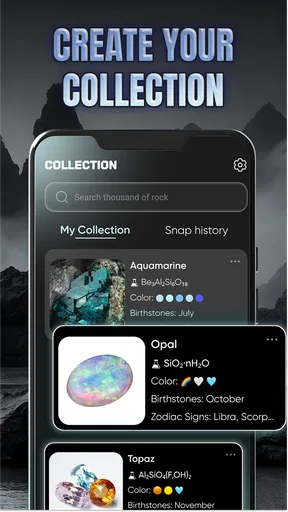
 Analysis by AppCompare
I find the most useful idea behind Rock Scanner: Stone Value is its attempt to turn a quick look at a stone into a starting point for learning about it. On a walk, at the shore, or while sorting through a small collection, I can use a photo-based identification tool to get a first impression instead of relying on a vague guess. The app is an education app from Sentinel Dev, and its focus on identification and estimated market value gives it a more practical angle than a simple rock-photo gallery.
A quick identification is a starting point, not a verdict
The camera-led approach suits the way people usually encounter unfamiliar rocks: unexpectedly, with a phone already in hand. I would treat a result as a useful lead, not a definitive identification. Similar-looking minerals can be difficult to distinguish from a single image, and surface color can shift with lighting, moisture, dirt, or the camera itself. A match is more convincing when the specimen is clean, sharply framed, and photographed in even natural light.
That distinction matters especially when the app also gives an estimated value. A value shown alongside a likely identification can help satisfy curiosity, but it should not be mistaken for a guaranteed sale price or a formal appraisal. Condition, size, locality, treatment, and buyer demand can all affect what a particular piece is worth. I’d use the estimate to decide what deserves further research, rather than to price an important specimen or make a buying decision on its own.
How I’d use a scan in the field
For a useful result, I’d take a moment to steady the phone and fill the frame with the stone, while leaving enough visible context to capture its overall shape. If the first image gives an uncertain or surprising match, I’d try another angle and compare the result rather than repeatedly accepting the first suggestion. Photographing a dry surface and then checking a different face can also help reveal whether the apparent color or texture is just a lighting effect.
A practical habit is to keep the scan connected to the place where the rock was found. I would make a brief note for myself about the location and setting, then take a separate photo that shows the specimen beside something familiar for scale. Those details can be useful later when comparing an identification with a field guide or asking an experienced collector for a second opinion. The app’s scan is most helpful as part of that small process, not as a substitute for careful observation.
For example, imagine finding an unusually patterned pebble on a weekend beach walk. I’d photograph it in daylight, check the suggested identity and value, and save the result as a prompt for more reading once I got home. If the estimate seemed unexpectedly high, I would resist treating that number as proof that the pebble is valuable. I’d first check whether the suggested mineral makes sense for the setting and whether the visible features support the match. That approach lets the app make an ordinary walk more engaging without turning a guess into a claim.
Getting Started with Rock Scanner
The first thing you'll notice about Rock Scanner: Stone Value is its intuitive interface. Once you download and open the app, you're greeted with a clean and straightforward design. It's refreshing to find an app that doesn't overwhelm you with too many bells and whistles right off the bat. Instead, it gets right to the point—helping you identify and evaluate stones.
Worth Reading Before You Choose

EA SPORTS FC Mobile 26 Is a Bigger Football Game, but It Takes Time

Flipboard Shows What News Apps Must Do Beyond the Feed

Switching to Android Auto Means Rethinking Your Driving Routine

Google Calendar Makes a Crowded Week Easier to Manage

Ludo King Makes the Most of the Minutes Between Plans

Baby Panda World Brings Quick Play to Modern Phones, but Its Game Library Feels Busy
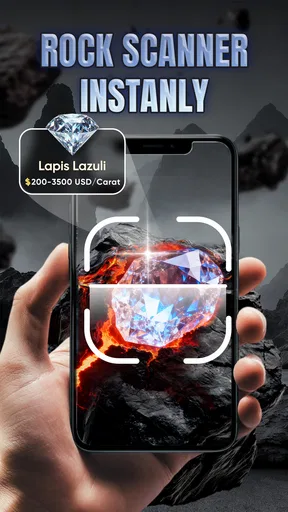
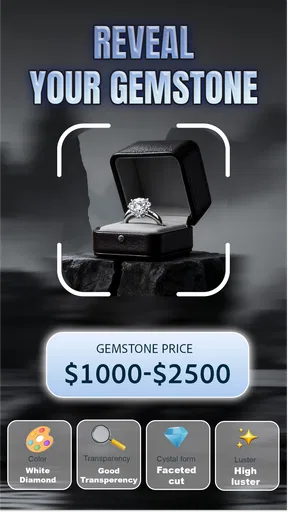
After a quick sign-up process, you're ready to start scanning. The main feature is the camera scan option where you simply point your device at a rock and let the magic happen. The app analyzes the image and provides you with detailed information about the stone, including its type and estimated value. It's like having a mineralogist at your fingertips!
What the estimate can—and cannot—tell you
The value feature is most useful as a curiosity and a research cue. If a scan suggests a stone may be worth investigating, I’d compare the identification with reputable mineral references and look at comparable specimens before drawing conclusions. An image-based estimate cannot capture every factor a specialist might inspect in person, so it is a poor basis for negotiating a sale or deciding that an ordinary-looking rock is a collectible.
This is also where the app differs from the usual alternatives. A general web search can surface detailed articles, but it takes more effort to know which terms to search for when you do not yet have a likely name. A printed field guide gives a more deliberate route through visible characteristics and can be easier to trust for learning identification methodically, but it is less immediate when you are outdoors. A scanner offers speed and a convenient first guess; a guide or expert offers a stronger check when accuracy has consequences. I see them as complements, not replacements.
Features Worth Exploring
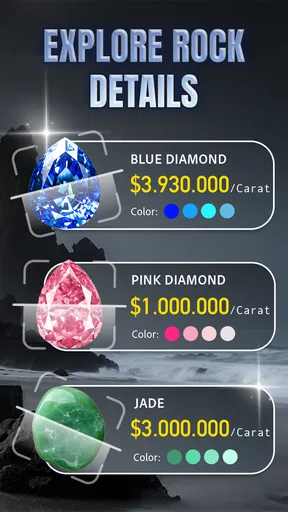
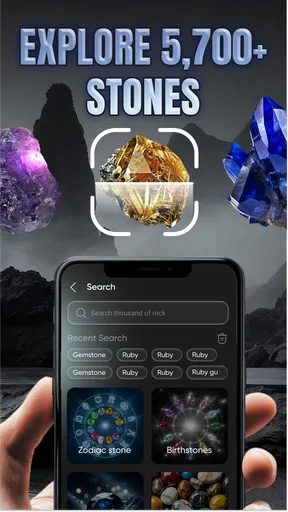
One of the standout features of the app is its detailed database. The amount of information it provides about each stone is impressive. You get insights into the stone’s history, its geological significance, and even some fun facts. This not only makes it educational but also incredibly engaging.
There's also a community feature where users can share their finds and discuss them with other rock enthusiasts. This adds a social element to the app, making it more than just a tool—it's a community. You can upload pictures, comment on other users' finds, and even participate in challenges. It's a fantastic way to connect with like-minded individuals.
Making the most of the results
For a beginner, I’d focus on learning one clue at a time rather than trying to memorize a long description. After a scan, compare the suggested stone with what you can actually see: its color, visible grain, crystal shapes, and surface texture. That small pause turns identification into a learning exercise. It also makes it easier to notice when the result does not fit the specimen in front of you.
The community can add another useful perspective, particularly when a clear photo invites discussion. If I shared a find, I’d include a well-lit close-up and a short note about where it was found, while avoiding claims that the app’s estimate proves its value. A photo is easier for other enthusiasts to assess when it shows the rock plainly rather than relying on dramatic filters or a cluttered background. I’d also treat community comments as opinions to compare, not as a formal verification.
The app is free to download, though it offers in-app purchases ranging from $2.99 to $15.99 per item. I’d begin with the free experience and decide whether any paid item is worth considering only after seeing how often I actually use the scanner and its educational material. If I only want to identify a few stones on occasional outings, spending more may not add enough value for me. Someone who regularly catalogs finds may judge that differently, but should still keep the app’s estimates in perspective.
Performance and Usability
When it comes to performance, Rock Scanner: Stone Value handles pretty smoothly. The scanning process is quick, and the results are displayed almost instantly. I did encounter a few hiccups when scanning in low light, but nothing too frustrating. The app advises you to ensure good lighting for the best results, which is a fair trade-off for its capabilities.
Usability is another area where this app shines. It’s user-friendly, and even those who aren't tech-savvy will find it easy to navigate. The instructions are clear, and the app's layout is logical and well-organized. It's obvious the developers put a lot of thought into making it accessible to everyone.
Who will get the most from it
I’d recommend it most to curious beginners, families who like turning a nature walk into a learning activity, and hobbyists who want a quick way to organize questions about unfamiliar specimens. It is particularly appealing if the combination of a visual identification attempt and a value estimate makes you more likely to stop and learn about what you have found. Its educational framing also makes it more inviting than opening a dense reference book every time a child picks up an interesting stone.
On the other hand, I would not choose it as my only tool if I were building a serious mineral collection, assessing a specimen for sale, or needing a reliable identification for a technical or academic purpose. In those situations, specialist references, direct examination, or advice from an experienced mineralogist are better options. The scanner can help you form a question; it cannot remove the need to check the answer when the stakes are meaningful.
The app is rated for Everyone, has a 4.5 average from around 9,900 ratings, and has been installed over 100,000 times. It was released on May 28, 2025, and version 1.1.7 requires Android 8.0 or later. Those details make it accessible to many Android users, while the real decision is whether an image-based learning aid fits the way you explore rocks. I’d also keep expectations grounded: broad popularity does not make every individual scan correct, and a high rating does not turn a market estimate into an appraisal.
Final Thoughts
Overall, Rock Scanner: Stone Value is a unique and valuable tool for anyone intrigued by the world of rocks and minerals. Whether you're a seasoned collector or a curious beginner, this app offers a wealth of information and a platform to share your passion with others.
While it may not replace a professional geologist, it certainly provides a fun and informative way to learn more about the natural world. So next time you're out in nature, give this app a try and see what treasures you might discover. Who knew a simple walk in the park could turn into a treasure hunt?
My recommendation is to use it for the question that first makes the app interesting: “What might this stone be?” Let the scan guide your next observation, and treat the value as a reason to research rather than a promise of what you could sell it for. With that balance, it can add a satisfying layer of discovery to a hike or a growing hobby. If you want certainty or a dependable valuation, take the extra step and consult a specialist source; if you want a convenient nudge toward learning, this is a much more approachable place to begin.
Pros
- Accurate stone identification algorithms.
- User-friendly interface with intuitive navigation.
- Comprehensive database of various rock types.
- Offline mode available for remote areas.
- Frequent updates with new features and data.
Cons
- Requires camera permissions to function.
- Limited to common stones; rare finds excluded.
- Ads can be intrusive during use.
- Occasional app crashes reported by users.
- No social sharing options for findings.
FAQs for Rock Scanner: Stone Value
What is Rock Scanner: Stone Value, and how does it work?
Rock Scanner: Stone Value is an innovative app designed for geology enthusiasts and professionals. It uses advanced image recognition technology to identify and evaluate the value of various stones and minerals. Users simply take a photo of the stone, and the app provides detailed information, including type, classification, and estimated market value.
Is Rock Scanner: Stone Value suitable for beginners?
Yes, Rock Scanner: Stone Value is designed to be user-friendly for both beginners and experts. The intuitive interface guides users through the process of photographing and analyzing stones, making it accessible for those new to geology while still offering detailed insights for seasoned professionals.
What devices are compatible with Rock Scanner: Stone Value?
Rock Scanner: Stone Value is available for both Android and iOS devices. It requires a camera-equipped smartphone or tablet running on Android version 8.0 or higher, or iOS version 11.0 or later. Users can download the app from the Google Play Store or Apple App Store.
Does Rock Scanner: Stone Value require an internet connection?
An internet connection is required for the initial download and installation of Rock Scanner: Stone Value, as well as for accessing the latest updates and additional features. However, once installed, the core functions of the app can be used offline, making it convenient for fieldwork in remote locations.
Are there any in-app purchases or subscription fees?
Rock Scanner: Stone Value offers a free version with basic features. For users looking for enhanced functionality, such as detailed reports and unlimited scans, there are in-app purchases and subscription options available. Prices vary, and users can choose a plan that best suits their needs and budget.


